STP Computer: Free Courses, App, Skills and Learning Guide
A clear look at STP Computer Education, its free Hindi courses, learning resources, mobile app, certificates, and who may benefit from the platform.

Introduction
Searching for STP Computer usually leads to STP Computer Education, an online learning platform aimed at people who want to learn practical computer skills without paying regular course fees.
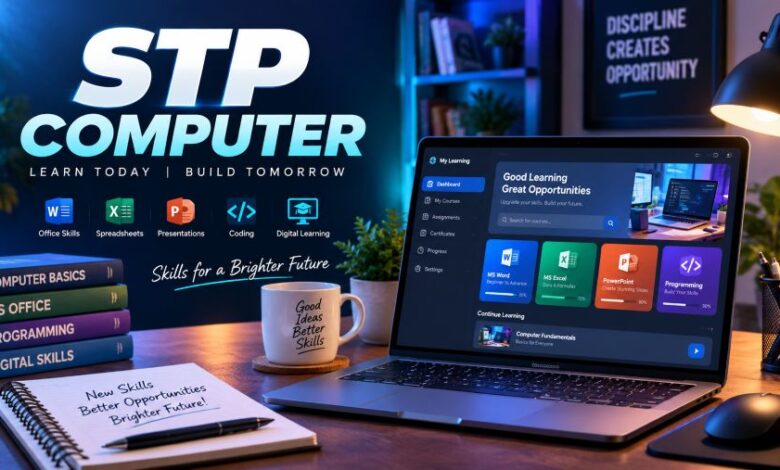
The platform covers beginner computer knowledge as well as subjects such as MS Office, Excel, Tally, typing, graphic design, programming and web development. Its lessons are primarily designed for Hindi-speaking learners.
Quick Facts About STP Computer
| Detail | Information |
|---|---|
| Full platform name | STP Computer Education |
| Main purpose | Online computer skills training |
| Course language | Mainly Hindi |
| Course cost | Courses currently advertised as free |
| Learning formats | Video lessons, PDF notes, quizzes and practice |
| Skill level | Beginner to advanced |
| Mobile access | Android app available |
| Popular subjects | Basic Computer, Excel, MS Office, Tally, DCA, ADCA, Graphic Design and Web Development |
| Founder & Director | Amit Kumar |
| Main audience | Students, beginners, job seekers and working learners |
The official platform describes itself as a computer training service focused on practical and job-related digital skills. Its founder and director is listed as Amit Kumar.
What Is STP Computer Education?
STP Computer Education is a digital learning platform built around accessible computer training.
Instead of focusing only on theory, its course catalogue includes everyday software, typing, accounting tools, office applications and technical subjects. The idea is straightforward: learners can start with basic computer knowledge and gradually move toward more specialised skills.
According to its official website, courses are taught in Hindi and are intended to make computer education easier for learners who may find English-only technical courses difficult to follow.
That makes the platform particularly relevant to students and beginners in India looking for computer education in a familiar language.
What Courses Are Available on STP Computer?
The course selection is one of the strongest reasons people search for the platform.
Its current course directory includes a broad mix of basic, office, accounting, creative and programming subjects.
Basic Computer Course
The Basic Computer Course is designed for learners with little or no previous computer experience.
Topics listed in the course include:
- Introduction to computers
- Computer hardware and software
- Operating systems
- MS Word
- MS Excel
- MS PowerPoint
- Internet use
- Web browsers
- Email and digital communication
The official course page describes it as a three-month beginner-to-advanced programme and recommends regular video learning followed by practical work.
MS Office and Excel
Office software remains important in schools, companies and administrative work.
STP offers training related to Microsoft Word, PowerPoint and Excel. Its course catalogue also includes a separate Advance Excel Course, which may suit learners who already understand basic spreadsheets and want to work with more advanced functions.
DCA and ADCA
DCA and ADCA are also listed among the platform’s popular programmes.
The website currently presents:
- DCA Computer Course — 6 months
- ADCA Computer Course — 1 year
These longer programmes combine several computer subjects rather than concentrating on a single application.
Tally Courses
People interested in accounting software can find both Tally Prime and Tally ERP 9 courses.
This type of training can be useful for learners interested in bookkeeping, billing, accounting support or office work where Tally software is used.
Graphic Design Courses
STP Computer Education also covers creative software.
Its listed subjects include:
- Graphic Design
- Photoshop
- CorelDRAW
- InDesign
These courses move beyond general computer use and introduce tools commonly associated with digital graphics, print work and basic design.
Web Development and Programming
More technical learners can move toward coding.
The current website lists courses in areas such as:
- Web Development
- Python
- JavaScript
- CSS
- HTML-related web skills
The Web Development Course is currently listed as a one-year programme, while Python is presented as a three-month course on the main course directory.
Are STP Computer Courses Really Free?
The platform currently advertises its learning courses at ₹0 and describes them as 100% free.
For example, its course directory displays normally priced course amounts crossed out and shows the present course price as ₹0. The main website also states that learners can access courses and resources without hidden course fees.
That is a major part of the platform’s appeal.
Still, users should always check the latest course page before enrolling because pricing, certificate conditions, exams or other policies can change over time.
Does STP Computer Provide PDF Notes?
Yes.
PDF notes are a central part of the learning system.
The official website has separate sections for computer courses, downloadable notes, quizzes and computer tips. This gives learners more than one way to study the same subject.
Video lessons may help with understanding a topic, while PDF material can be useful for:
- Revision
- Exam preparation
- Quick reference
- Making personal notes
- Reviewing commands and shortcuts
This combination can work well for beginners who need to repeat lessons several times.
STP Computer Education Mobile App
The platform also operates an Android application called STP Computer Education.
As of September 2026, its Google Play listing shows more than 100,000 downloads, a rating of about 4.6 stars, and over 1,000 reviews. The listing says the app includes video classes, PDF notes, interactive learning activities and course certificates.
The app was updated on August 26, 2026, according to Google Play.
For learners who use a smartphone more often than a desktop computer, the app can make lessons easier to access.
What About STP Computer Certificates?
The platform promotes certificates for learners who complete eligible courses and meet its stated completion requirements.
Its Android app describes these as certificates of achievement, while STP’s own support material says students may need to complete an exam before downloading a certificate.
There is an important distinction here.
A course provider can issue a certificate showing that someone completed its training, but acceptance of that certificate for a particular government post, university, employer or regulated qualification depends on the rules of that organisation.
Learners should therefore check the eligibility requirements of the specific employer, examination body or institution before relying on any online certificate for a formal application.
Is STP Computer Good for Beginners?
Its course structure appears particularly suited to beginners.
The official Basic Computer Course states that no prior computer knowledge is required, while the wider platform uses Hindi instruction and step-by-step learning.
A beginner could start with basic computer skills, then move into:
Step 1: Computer Fundamentals
Learn files, folders, hardware, software, Windows and general computer use.
Step 2: MS Office
Learn Word, Excel and PowerPoint.
Step 3: Typing and Internet Skills
Build typing speed, email skills and confidence using the web.
Step 4: Choose a Specialist Subject
After the basics, learners can select an area such as Tally, graphic design, advanced Excel, Python or web development.
That approach makes more sense than starting immediately with advanced software without understanding computer fundamentals.
Can STP Computer Skills Help With Jobs?
Computer courses alone do not guarantee employment.
They can, however, teach skills used in many entry-level positions.
The Basic Computer Course itself identifies possible work areas such as computer operator, office assistant, data entry, receptionist, training and basic freelance work.
Someone learning for employment should concentrate on practical ability rather than simply collecting certificates.
For instance, an Excel learner should be able to create spreadsheets and use formulas. A graphic design learner should build sample projects. A web development student should create working websites.
Proof of skill matters.
Who Should Consider STP Computer?
The platform may make sense for several groups.
School and College Students
Students can learn computer fundamentals alongside their regular studies.
First-Time Computer Users
Hindi explanations and beginner lessons may make the first stage of learning less intimidating.
Job Seekers
Courses such as Excel, MS Office, typing and Tally cover skills that appear frequently in office and administrative work.
Small Business Owners
Basic accounting, spreadsheets, document creation and internet skills can help with day-to-day business tasks.
Freelance Learners
Graphic design, web development and programming courses can provide a starting point, although serious freelance work requires plenty of independent practice.
Advantages of STP Computer Education
Several features make the platform attractive:
- Courses are currently promoted as free
- Lessons are primarily available in Hindi
- Beginner and advanced subjects are available
- PDF notes support video learning
- An Android application is available
- Several courses focus on practical software
- Learners can study at their own pace
- The website includes quizzes and learning resources
- Basic and specialist courses are available in one place
The main website also currently advertises no-login access for some learning resources and telephone support during specified hours.
Things to Check Before Starting
Free access does not mean learners should skip basic checks.
Before beginning any online computer course, consider:
- Whether the syllabus matches your goal
- How recently the lessons were updated
- Whether you need software on a PC for practice
- Whether the certificate matters for your intended employer
- Whether practical exercises are included
- How much time you can study each week
For technical subjects such as Python or web development, watching videos alone will rarely be enough. Regular hands-on practice is essential.
Final Thought
STP Computer Education offers an accessible route into computer learning, particularly for Hindi-speaking beginners who want free lessons and practical digital skills.
Its current catalogue reaches far beyond basic computer education, covering office software, accounting, typing, design, programming and web development.
The best way to use the platform is to choose one clear learning goal, finish the relevant lessons and practise the skills on a real computer. A certificate can document course completion, but practical ability is what turns training into something useful.
Frequently Asked Questions
What is STP Computer?
STP Computer usually refers to STP Computer Education, an online platform offering computer courses and digital-skills training.
Is STP Computer Education free?
Its official website currently advertises its listed online courses at ₹0 and describes the learning resources as free.
What language are STP Computer courses taught in?
The platform states that its courses are mainly taught in Hindi.
Who founded STP Computer Education?
The official website identifies Amit Kumar as the founder and director.
Does STP Computer have an app?
Yes. STP Computer Education has an Android app available through Google Play.
Does STP Computer provide certificates?
The platform advertises certificates for eligible completed courses. Learners should check the exact course and certificate requirements before enrolling.
What courses can I learn on STP Computer?
Courses currently include Basic Computer, MS Office, Advance Excel, DCA, ADCA, Tally, typing, graphic design, Photoshop, CorelDRAW, Python and web development.
Is STP Computer suitable for complete beginners?
Yes. Its Basic Computer Course is specifically presented as a beginner programme and says prior computer knowledge is not required.