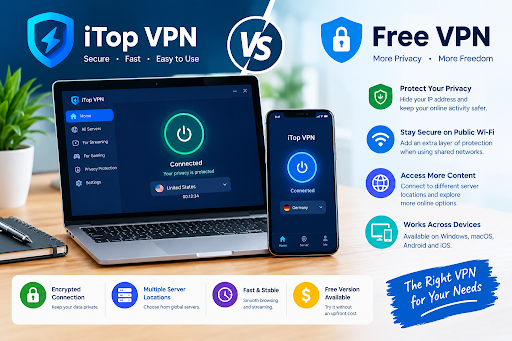
Internet users connect from many different places throughout the day.Internet users often switch between a home broadband connection, mobile data while away, and shared wireless networks at cafés or other public places. Home, mobile, and public networks each have their own security limitations. With iTop VPN, users can try routing their traffic through an encrypted VPN connection at no cost and consider upgrading only if the additional paid features meet their needs.
iTop VPN: A Convenient Way to Manage Your Internet Connection
iTop VPN is a VPN application available for Windows, macOS, Android, and iOS.When you connect to iTop VPN, your online requests pass through one of its servers, hiding your usual public IP address from websites and encrypting data travelling between your device and the server.
iTop VPN’s Smart Location feature streamlines the connection process by suggesting a server automatically, while manual selection lets users connect through an available location of their choice.
The application also provides several connection protocols, allowing users to choose different connection methods depending on their requirements. On supported versions, additional options such as Kill Switch and DNS protection provide more control over connection security.
Another practical detail is its one-click connection interface. Users can establish or disconnect a VPN connection without manually changing their computer’s network configuration. These features make the application approachable for people who have
Free VPN: What Should You Check Before Downloading?
A free VPN can be useful when you occasionally need an encrypted connection but do not want another monthly subscription.
When considering a free VPN, check the daily data allowance, accessible server countries, information collection policies, and security tools available in the free plan. Some providers impose daily traffic limits, restrict server locations, or reserve certain security options for paying subscribers.
Before settling on a free VPN, review its usage restrictions, available connection regions, and approach to handling user data to ensure it suits your browsing habits.
Daily data limit: Find out how much internet traffic the free package permits and whether that quota is sufficient for your usual browsing, streaming, and downloads. People who mainly check emails have different requirements from those who regularly watch videos.
Available servers: Review the countries included in the free version and make sure your preferred region is accessible before connecting.
Data privacy: Read the provider’s policy to understand what user information it records, why that data is needed, and whether it is disclosed to outside companies.
These checks can help distinguish a useful free service from one that introduces unnecessary limitations.
What Does iTop VPN Offer Without a Subscription?
The free edition of iTop VPN provides selected server access without requiring registration on supported platforms.According to iTop VPN’s website, Windows and Mac users receive a limited amount of freeWindows and Mac users receive a set amount of free data each day, whereas the mobile apps for Android and iOS can be accessed without signing up. The free plan also provides a selection of basic connection tools and privacy features.
Windows users can explore its Kill Switch, which helps prevent ordinary internet traffic from continuing if the VPN connection unexpectedly drops.security.
The application also offers DNS protection settings that let users manage domain-name requests while browsing through the VPN.
The free plan covers basic VPN use, while upgrading to VIP unlocks additional features and a wider range of server options. Premium servers and certain advanced functions are not included in the free edition.Before purchasing VIP, confirm that its extra server regions and included features match the locations and services you need.
Everyday Situations Where a VPN Can Be Useful
When using Wi-Fi at a café, hotel, or other public venue, connecting through a VPN can help shield your internet traffic with encryption instead of depending solely on the network’s own security measures.
Travellers may also find VPN applications convenient because they can maintain a familiar connection setup while switching between different internet providers.
Another consideration is IP address visibility. Websites will typically identify the VPN server’s IP address as the source of your connection, rather than the public IP linked to your internet connection. This provides an additional privacy layer, although it does not make someone completely anonymous.
Users should continue applying basic security practices, including checking website addresses, avoiding suspicious downloads, and enabling two-factor authentication.
Setting Up iTop VPN for the First Time
Installation is relatively straightforward. Download the appropriate application from the official iTop VPN website and follow the installation instructions for your operating system.
After opening the software, review the free server locations and select a suitable connection. Wait until the application confirms that the connection is active before starting your browsing session.
Windows users can also inspect the available protocol, Kill Switch, and DNS settings. Reviewing these options beforehand helps avoid confusion when connection requirements change.
Final Verdict
Select a VPN that suits your regular internet activities instead of choosing one solely because it offers a larger collection of features. iTop VPN lets users manage their connections and access selected privacy tools at no cost, making it possible to try the service before deciding whether a paid plan is worthwhile.
For occasional browsing, testing a connection, or using supported devices on public Wi-Fi, the free option may be a convenient starting point. Those who require more server choices or advanced functionality can compare the VIP plans before making a decision.
Taking time to examine traffic allowances, available locations, and privacy policies is ultimately more useful than choosing a VPN based on advertising claims alone.